
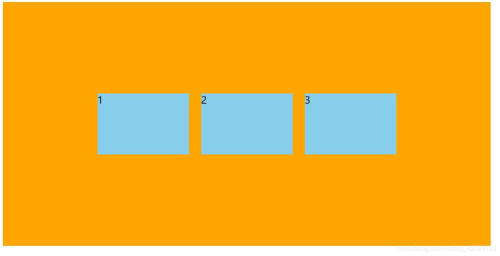
flex布局中如何让子元素垂直居中

Css小技巧
css样式中的百分比都是相对于谁的?
 huangpb06242022-03-15 22:00:03
width、height(正常定位)
width 和 height 的百分比是分别根据父级元素块的宽度和高度来计算的。
相对定位的 top、left
- position: relative;
- top: 100%;
- left: 100%;
top 和 left 的百分比是分别根据父级元素块的高度和宽度来计算的。
绝对定位的 top、left、width、height
- position: absolute;
- top: 50%;
- left: 50%;
-
- width: 100%;
- height: 100%;
top、height 和 left、width 的百分比是分别根据包含它的第一个不是 static 定位的元素的高度和宽度来计算的。
固定定位的 top、left
- position: fixed;
- top: 50%;
- left: 50%;
top 和 left 的百分比是分别根据浏览器视口的高度和宽度来计算的。
translate
transform: translate(-50%, -50%);translate 是根据自身的宽高来计算的。
margin-top, margin-left,padding-top, padding-left
- margin-top: 50%;
- margin-left: 50%;
相对于父级元素块的宽度。
border-radius
border-radius: 50%;相对于自身。
background-size
background-size: 100% 100%;相对背景区的宽高。
CSS解决position:fixed基于父元素定位而不是浏览器窗口
 1024_Byte2022-03-08 15:08:31
众所周知fixed是基于浏览器窗口定位,但是今天遇到个问题,发现fixed并不一定是这样
有一个例外会使fixed是基于祖先元素定位。

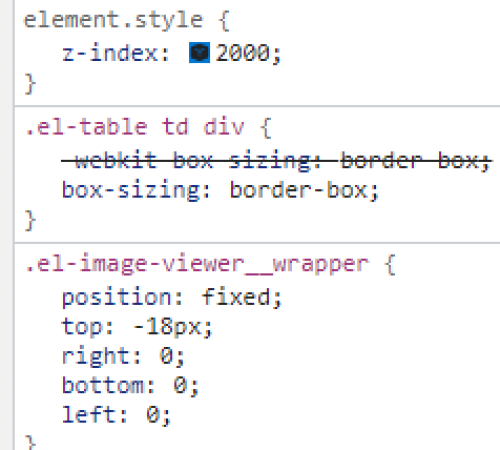
<div class="container" style="transform:rotate(360deg);">
    <div>
        <div class="box" style="position:fixed;"></div>
    </div>
</div>
el-table组件自带了一个transform属性
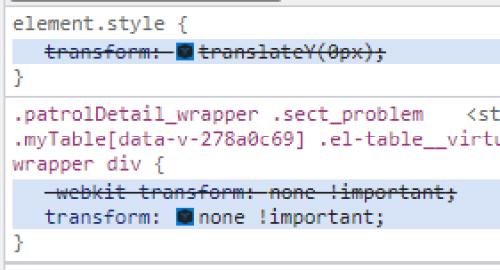
fixed不为元素预留空间,而是通过指定元素相对于屏幕视口(viewport)的位置来指定元素位置。元素的位置在屏幕滚动时不会改变。打印时,元素会出现在的每页的固定位置。fixed 属性会创建新的层叠上下文。当元素祖先的 transform 属性非 none 时,容器由视口改为该祖先。
(会产生副作用, 会影响其他的定位)
<!DOCTYPE html>
<html lang="en">
<head>
    <meta charset="UTF-8">
    <title>1</title>
    <style>
        .test {
            position: fixed;
            left: 0;
            right: 0;
            bottom: 0;
            width: 600px;
            margin: 0 auto;
            background-color: green;
        }
    </style>
</head>
<body>
        <div class="test">22</div>
</body>
</html>
css选择器 ~ (波浪号)、+(加号)、>(大于号)的用法解析和举例
CSS3模块发布时间表
2002年5月15日发布CSS3 Line模块,该模块定义了文本行模型CSS3中 overflow:hidden;作用(创建BFC)

The CSS attribute selector matches elements based on the presence or value of a given attribute.
/* <a> elements with a title attribute */
a[title] {
  color: purple;
}

/* <a> elements with an href matching "https://example.org" */
a[href="https://example.org"]
{
  color: green;
}

/* <a> elements with an href containing "example" */
a[href*="example"] {
  font-size: 2em;
}

/* <a> elements with an href ending ".org" */
a[href$=".org"] {
  font-style: italic;
}

/* <a> elements whose class attribute contains the word "logo" */
a[class~="logo"] {
  padding: 2px;
}
CSS: 如何删除链接<a>的下划线?
代码:
text-decoration: none;

 CSS3_概述、发展史、模块介绍、与浏览器之间的关系 - 胡椒粉hjf - 博客园


 box-sizing - CSS: Cascading Style Sheets | MDN

 详解 CSS REM

 How to remove underline for anchors tag using CSS? - GeeksforGeeks